Node.js setup
In the unfortunate case where you don’t have Android/iOS/Linux/macOS with you, all is not lost due to Matter.js - powered by Typescript and Node.js. Yes, Node.js even supports AIX. And Windows, but I am sure AIX is more relevant at this conference.
Step-by-step guide#
- In case you are not yet connected, connect to my Wi-Fi network - scan the Wi-Fi QR code, or use SSID: Matter_Raspi_LED password: CUJO.AI!
2: Install Node.js on your device, if you don’t have it yet.
3: Use the following commands in your terminal.
npm install @matter/nodejs-shell
- Pick a station number currently not used by anyone else. Touch the chosen station number on the touchscreen.
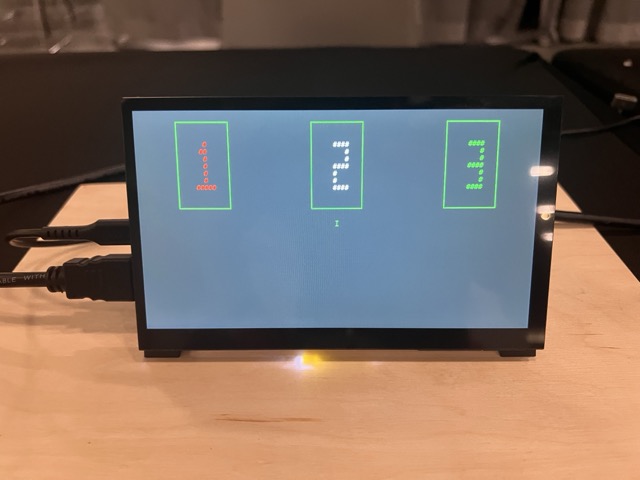
This will put the Matter device into factory reset/commissioning mode.
- Use the following commands in your terminal.
npx matter-shell 1
commission pair --pairingCode <pairingcode>
BluetoothLE might not be supported on some operating systems. But for the LED commission you won’t need BLE.
To get all info about the device:
nodes list
- Toggle the LED on/off with:
nodes connect
Turn on:
commands onoff toggle <node_id> 1
Turn off:
commands onoff toggle <node_id> 1
Before you leave …#
Don’t forget to fill out our feedback form
Optional: In case you run into weird technical issues with the previous command, try this:
node ./node_modules/@matter/nodejs-shell/dist/esm/app.js 1